
Drawing in.Simulated program out.
CAMstein reads your drawing or STEP model, writes the CNC program inside your own machine and tool rules, and simulates every cut before anyone presses cycle start.
Runs in the browser on a phone, tablet or PC. Nothing to install.

From your machine and drawing to a program on the control
Six steps, the same every time, on the phone at the machine or on the office PC.
-
Pick the process and the machine
Choose milling or turning, then your machine. CAMstein knows its travels, spindle, power, tool limits and control, so every program is written for that machine and in that control's own language.
- 287machines in the catalogue, from 36 makers
- 13control languages, from Fanuc and Haas to Siemens and Heidenhain
- 1985programs run on controls as far back as the FANUC Series 0
Milling is live today. Turning programs are next on the roadmap.
-
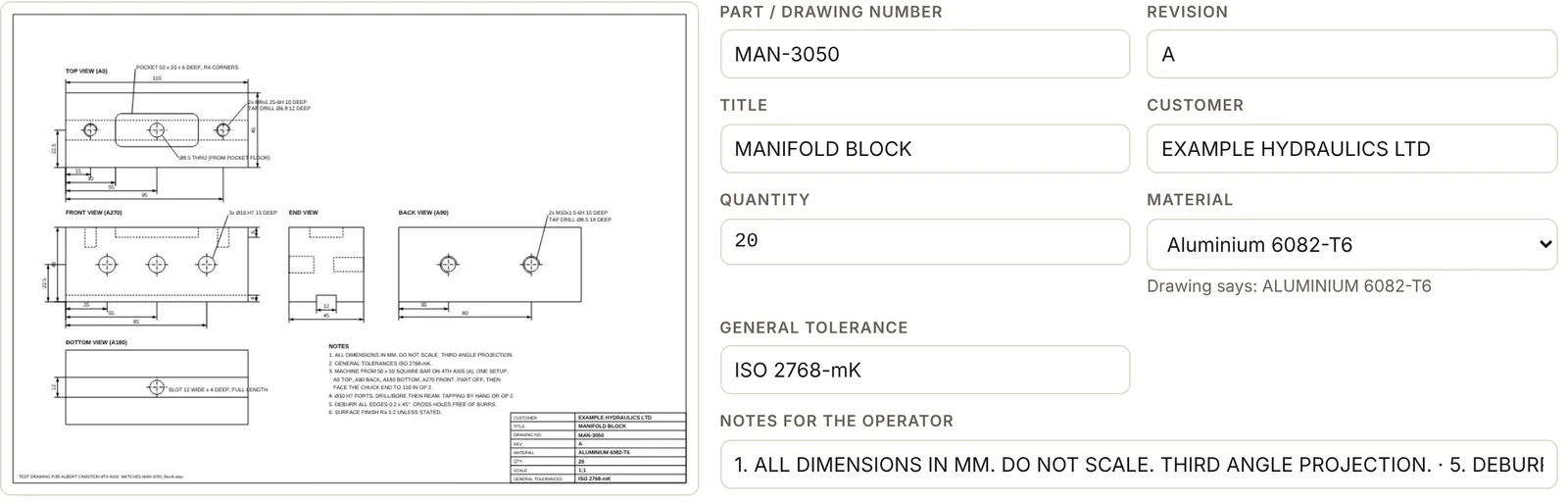
Upload the drawing
Drop in the PDF, the STEP model, or both. CAMstein reads the full specification from every view: part number, material and grade, holes, pockets, threads, fits, tolerances and notes. It builds the 3D part from a drawing alone, and matches the material to its library of cutting properties.
-
Choose the setup
One vice setup, an op for each face kept together in one job pack, or the 4th axis. Pick the billet and datum; CAMstein suggests both from the drawing, and recommends the workholding.
-
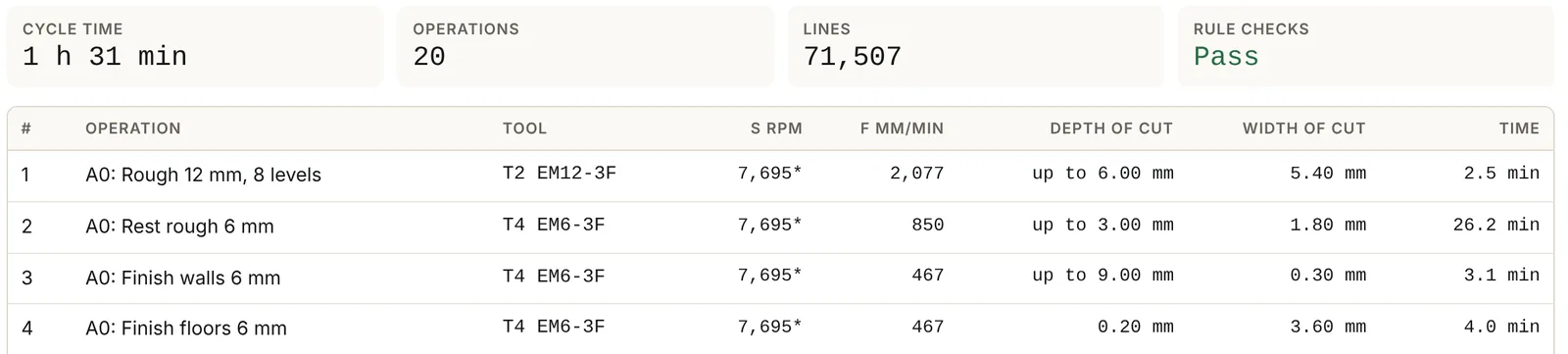
Program inside your rules
CAMstein picks the tools for you: from your own workshop library once you've added it, or from its catalogue of standard tooling in every common size, metric and imperial. Import a toolmaker's own tool library and it uses that maker's data too. Missing a tool that would do the job better? It tells you which one to add.
Speeds, feeds and depth of cut are worked out for the tool you're using and the material you're cutting, then held inside the limits your supervisor locked for each machine.
You choose how the program is written: long hand that's easy to read at the control, subprograms for repeated levels, or macro loops for the shortest program.
-
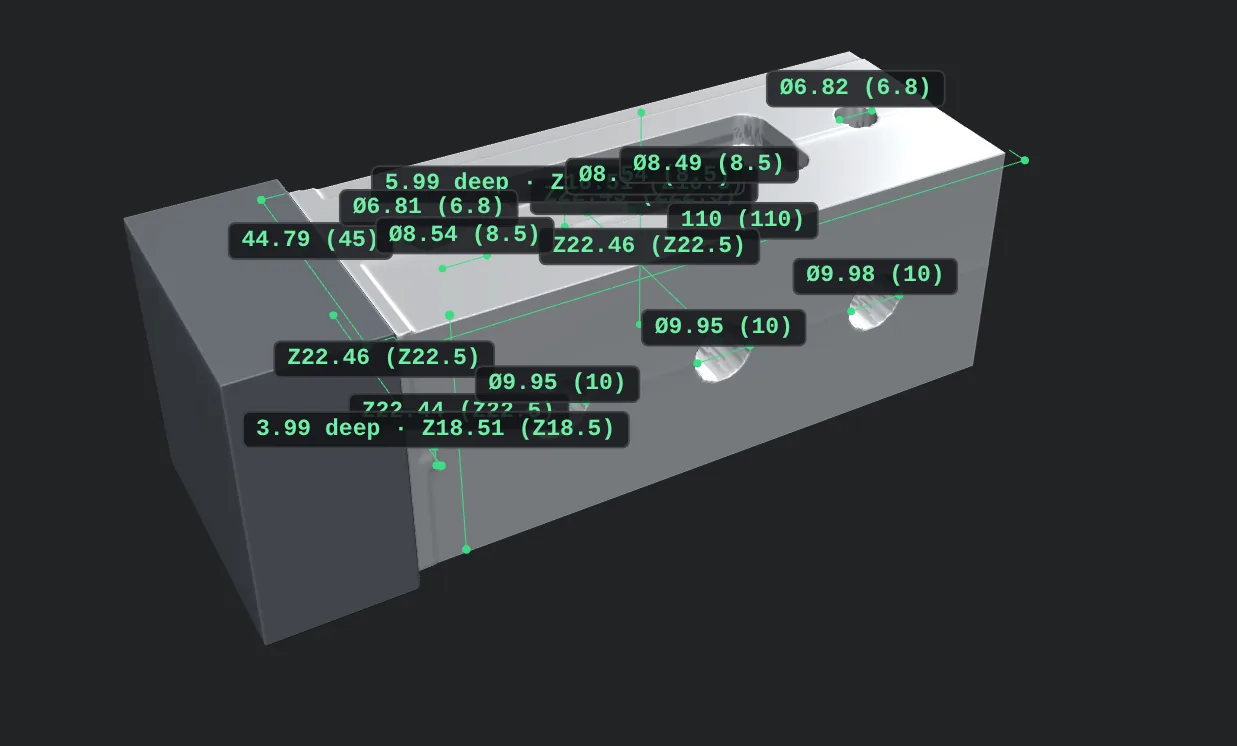
Simulate every cut, then approve
Watch the material come off in 3D, rotation by rotation. Rapids into material, gouges, holder and chuck collisions are flagged with the line number. Tick any size to see it measured on the simulated part, then a named person approves. The version, time and approver are recorded.
-
Send it to the machine
The approved program comes out in the right format and file type for your control. Send it straight from the phone to the machine with the CAMstein Link, or download it to a PC or laptop and load it the way you do now, by cable or USB stick.
The CAMstein Link In development
Two parts. The machine side comes with fittings for the ports controls have used since the 1980s: RS-232 serial (DB25 and DB9), Ethernet and USB. The phone side makes a private local Wi-Fi link between the two, so the program goes from the phone to the control with no PC, no stick and no cable run across the shop.
What the name stands for
Five things every program CAMstein writes is built on.
- SimulationEvery cut runs in 3D before it reaches the machine. Rapids into material, gouges, and holder or chuck collisions are caught and flagged to the exact line.
- ToolingTools chosen automatically from your own library or a catalogue of standard tooling. Speeds, feeds and depth of cut are calculated for the exact tool and the material being cut, then held inside your machine's locked limits.
- EngineeringBuilt from your drawing, your material and your machine. Adaptive roughing keeps the tool at a constant load for faster, safer metal removal, with smooth helical entries and rest machining that only cuts what's left. Shorter cycle times, without pushing the tool.
- InnovationDecades of programming know-how, in your pocket. Upload a drawing on the shop floor and CAMstein turns it into a simulated, machine-ready program in minutes, with no CAM seat and no trip to the office. Every size verified, every program signed off by a person before it runs.
- NC readyClean G-code in your control's own language, written long hand, with subprograms or with macros, plus a setup sheet and tool list the operator can follow at the machine.
Made for the machines you already have
Built by an engineer who runs CNC machines, for the older kit that most software forgets.
- Older controlsFanuc-style programs that suit older controls such as the Hartrol Fanuc AI300.
- Manual tool changesNo working carousel? Each tool gets a load prompt and an M00, and the simulator still knows which tool is in.
- 4th axisIndexed work from a square or round bar, with every side kept in one view.
- Locked shop rulesPockets you never use, spindle and power limits, coolant codes. Set once by a supervisor, kept on every job.
- A sketch pad for the gapsFind a point the drawing doesn't give, then attach the sketch to the job pack.
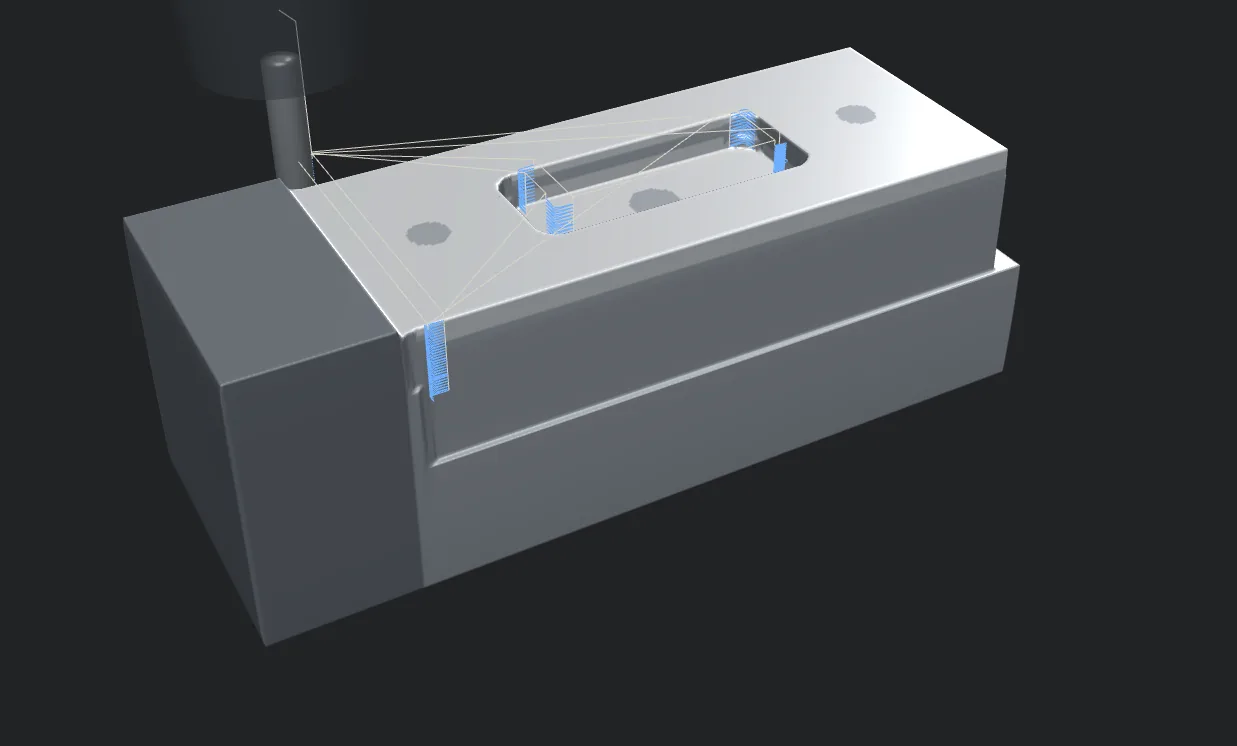
Nothing runs without simulation and a person's approval.
CAMstein makes programming faster; it does not replace the operator. Every program is simulated and approved before it is run, and should be proved out on the machine with a dry run or single block as usual.
Now taking pilot workshops
We're setting CAMstein up with a small number of CNC shops in Scotland. Places are by invitation while we prove it on real parts. Already invited? Sign in below.